
Discover the Size of any Folder, and
the Size and File Count of its Sub-Folders
Instantly Master Your Disk Space with Folder Analyzer
Tired of feeling overwhelmed by your computer’s storage? You know you have files, but where exactly is all that space going?
Meet SMB Folder and Subfolder Analyzer, the fast, clean, and essential Python application designed to end your disk space mysteries.
Stop wasting time manually checking folders! With a single click, our app instantly scans deep into any selected directory and its subfolders, giving you a clear, tabular breakdown of exactly where your files—and your storage—are located.
Why You Need Folder Analyzer:
- Clarity in Seconds: Instantly see the total number of files and aggregated size for every folder on your system.
- Pinpoint Data Hotspots: Quickly identify the subfolders consuming the most space, thanks to interactive, sortable file and size counts.
- Organize with Confidence: Clean up your drive efficiently by focusing only on folders that contain actual data (empty folders are automatically filtered out).
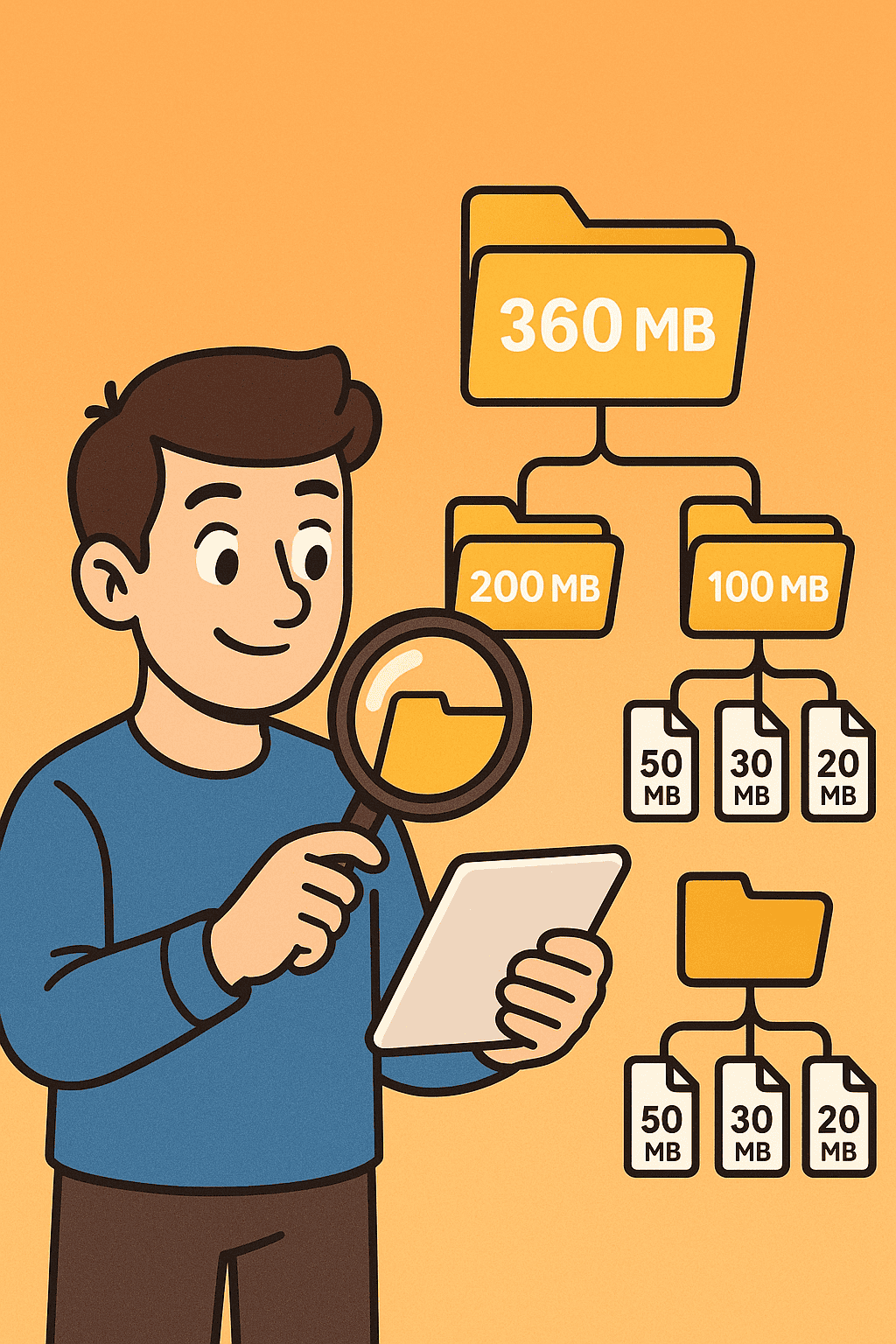
Download SMB Folder and Subfolder Analyzer today and turn guesswork into knowledge!
SMB Folder and Subfolder Analyzer Features
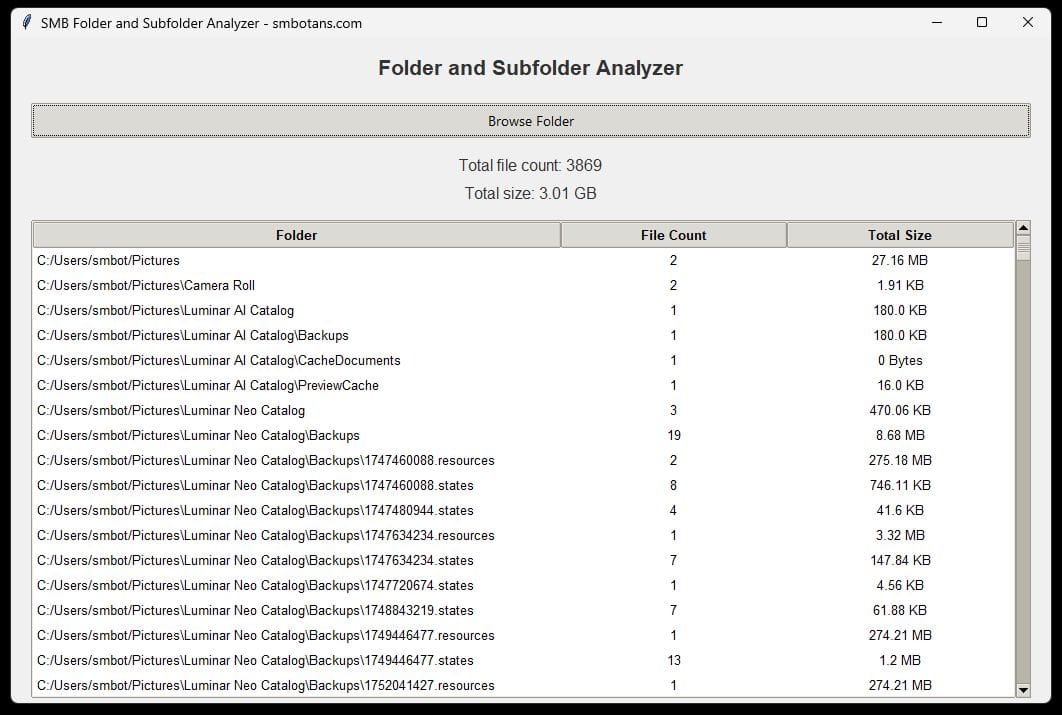
- Recursive Analysis: Scans the selected folder and all its subfolders to provide a complete picture of your data distribution.
- Detailed File Breakdown: Displays the individual file count and total size for every subfolder that contains files, helping you instantly spot data hotspots.
- Intelligent Filtering: Automatically hides empty folders from the results, keeping your analysis clean and focused only on folders containing data.
- Interactive Table Sorting: Easily sort results by Folder Name, File Count, or Total Size with a single click on the column headers (supports both ascending and descending order).
- Interactive Table Sorting: Easily sort results by Folder Name, File Count, or Total Size with a single click on the column headers (supports both ascending and descending order).
- Human-Readable Sizes: Converts raw file sizes (bytes) into easy-to-understand formats like KB, MB, or GB, making large data volumes simple to grasp.
- Personalized Experience: Remembers the last size and position of the app window, ensuring a consistent and comfortable experience every time you launch it.
- Clean & Modern GUI: Features a sleek, organized interface for easy folder selection and clear presentation of data.
Other No-Frills Free Software
We have lots of other free no-frills software, click on the button on the right to view them all.
SMB Folder and Subfolder Analyzer Versions
1.00 Initial release.