
Boost your language skills with our
SMB French-English Flashcards app.
Master French and English Vocabulary with Our Interactive Flashcards App
Learning a new language can be challenging—but it doesn’t have to be. Our French-English Flashcards App makes vocabulary practice simple, effective, and even fun! Designed for learners of all levels, this interactive app helps you expand your vocabulary, improve pronunciation, and build confidence in both French and English.
Why Choose Our Flashcards App?
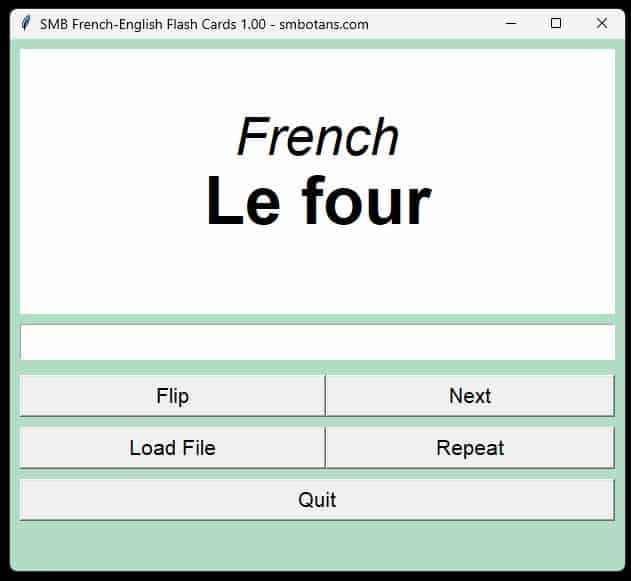
- Interactive Flashcards: Flip between French and English instantly and test your memory with ease.
- Correct Pronunciation Every Time: Hear every word spoken in French or English, thanks to our dynamic text-to-speech feature.
- Customizable Word Lists: Upload your own CSV files or use preloaded lists to focus on the words that matter most to you.
- User-Friendly Interface: Resizable interface, clear fonts, and a visually appealing design make studying more comfortable.
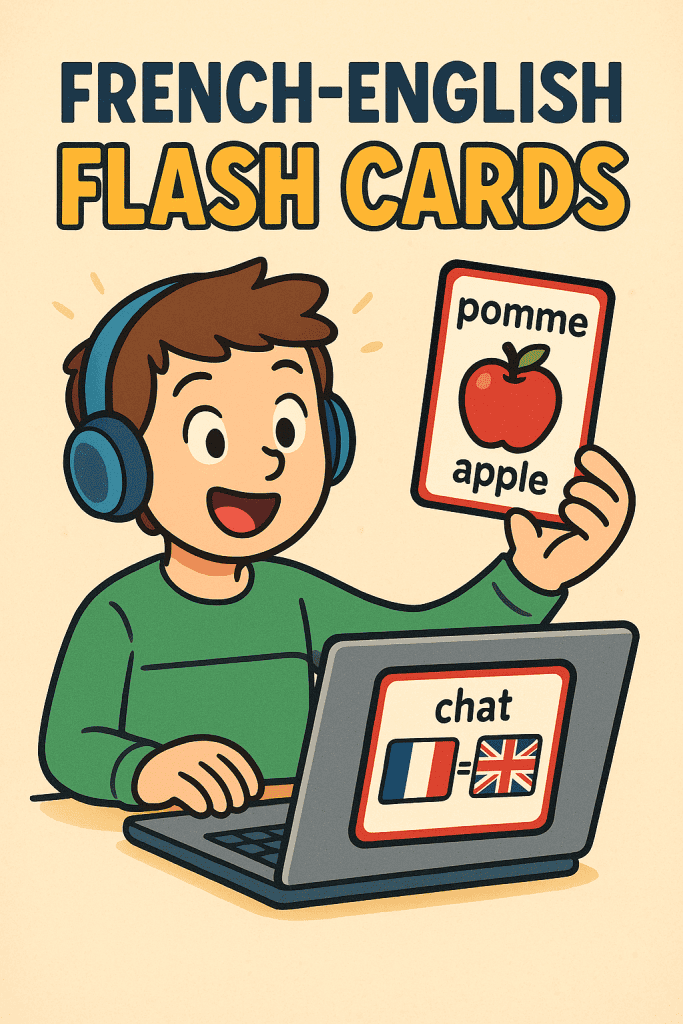
Download our free app today and make learning French or English faster, easier, and more enjoyable.
Master the vocabulary with confidence and hear each word spoken correctly every time!
SMB French-English Flash Cards Features
- Load Your Word List: Start with your own CSV or one of preloaded vocabulary sets.
- Flip the Cards: View the translation and hear the correct pronunciation.
- Test Yourself: Enter the translated word in the target language and get instant feedback.
- Custom CSV Uploads: Add your own word lists or download ready-made CSV files.
- Repeat and Learn: Focus on words that challenge you most until you master them.
- User-Friendly Interface: Resizable cards, clear fonts, and responsive design make studying comfortable.
How to Install the French Language Pack on Windows
You may need to install the French language pack on your Windows computer/laptop for the text-to-speech feature to work properly.
- Open Settings:
- Click the Start button (Windows icon) at the bottom-left of your screen.
- Click the Settings gear icon.
- Go to Language Settings:
- In Settings, select Time & Language.
- On the left menu, click Language (or Language & Region).
- Add French Language:
- Under Preferred languages, click Add a language.
- In the search box, type French.
- Select French (France) or your preferred French variant from the list.
- Click Next.
- Install Language Pack:
- Make sure Install language pack is checked.
- You can optionally check “Set as my Windows display language” if desired.
- Click Install to download and install the French language pack.
- Wait for Installation:
- The installation may take a few minutes depending on your internet speed.
- Set Up Speech (Optional):
- After installation, make sure Speech language settings include French to enable text-to-speech features.
- Restart Your Computer (Optional):
- Restart your PC to ensure all language features are properly applied.
With these steps, users will be able to have the necessary French voices installed on their Windows system, allowing your app’s text-to-speech features to work properly with French language content.
Format of CSV language file
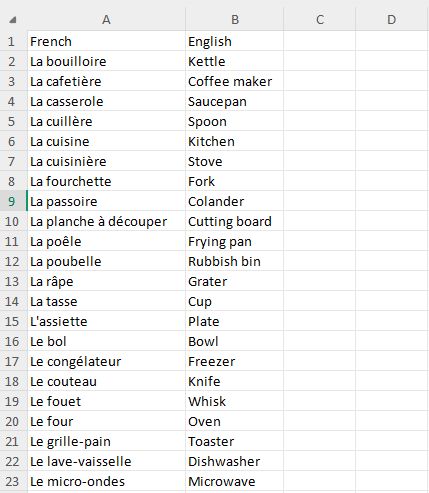
- Use Excel to put together your own csv vocabulary file.
- The top of each column must have: French & English as shown the screenshot on the right.
- I suggest that for each French noun, you add the definite or indefinite article (ie le/la, un/une) to learn in the process whether the noun is masculine or feminine.
- There is no need to add articles for the English words.
- Be mindful that whatever you words you put in the French or English columns, whatever word you enter to be checked will be checked against those words.
- Following from the point above, you may not want to use capitals for your words – up to you!
Once you have set up your Excel file, simply save it as a CSV file, giving it an appropriate name, and located in the same folder as the app.
Other No-Frills Free Software
We have lots of other free no-frills software, click on the button on the right to view them all.
SMB French-English Flash Cards Versions
1.00 Initial release.